Connect Data
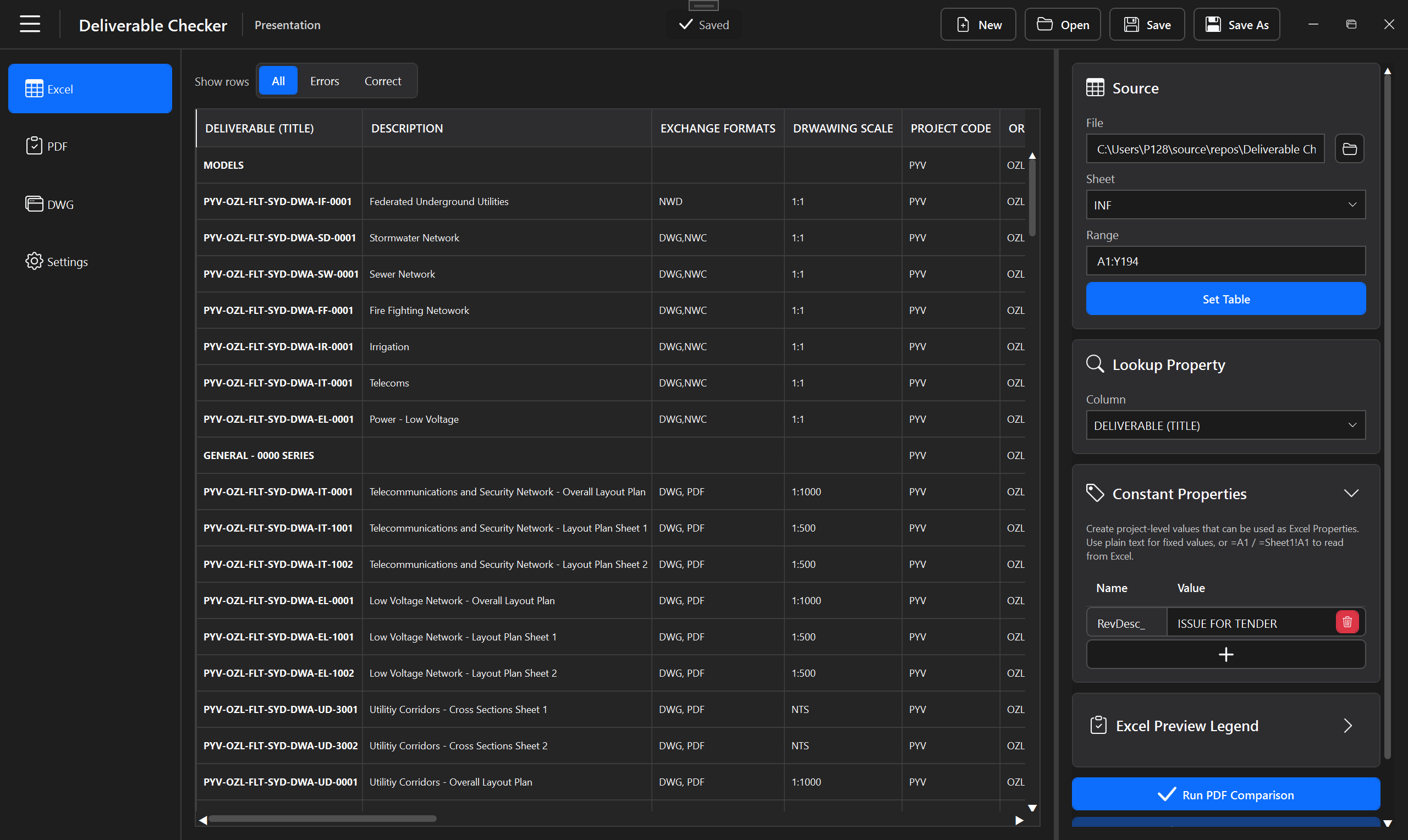
Load the Excel table, choose the lookup property and define any constant expectations.
Engineering QA/QC Automation

A Windows desktop application for validating both PDF drawings and native DWG deliverables against structured Excel project data and reusable validation rules.
Built with
Works with / impacts
The problem
Engineering review often means checking the same project information across issued PDFs, native DWG layouts and structured registers. Repeating those comparisons manually is slow and makes consistency harder to maintain.
Deliverable Checker centralizes those checks in one reusable project. PDF content can be validated through visual checker regions, while DWG layouts can be inspected through block-attribute mapping. Both workflows share the same Excel reference data, comparison rules and reporting layer.
Core capabilities
Analyze batches of PDF drawings, capture text from configured checker regions and compare detected values with project expectations.
Read selected DWG layouts, extract mapped block attributes and validate native drawing information without manually opening every file.
Use master, normal and sequential checker logic to define the PDF regions and structured sequences that need validation.
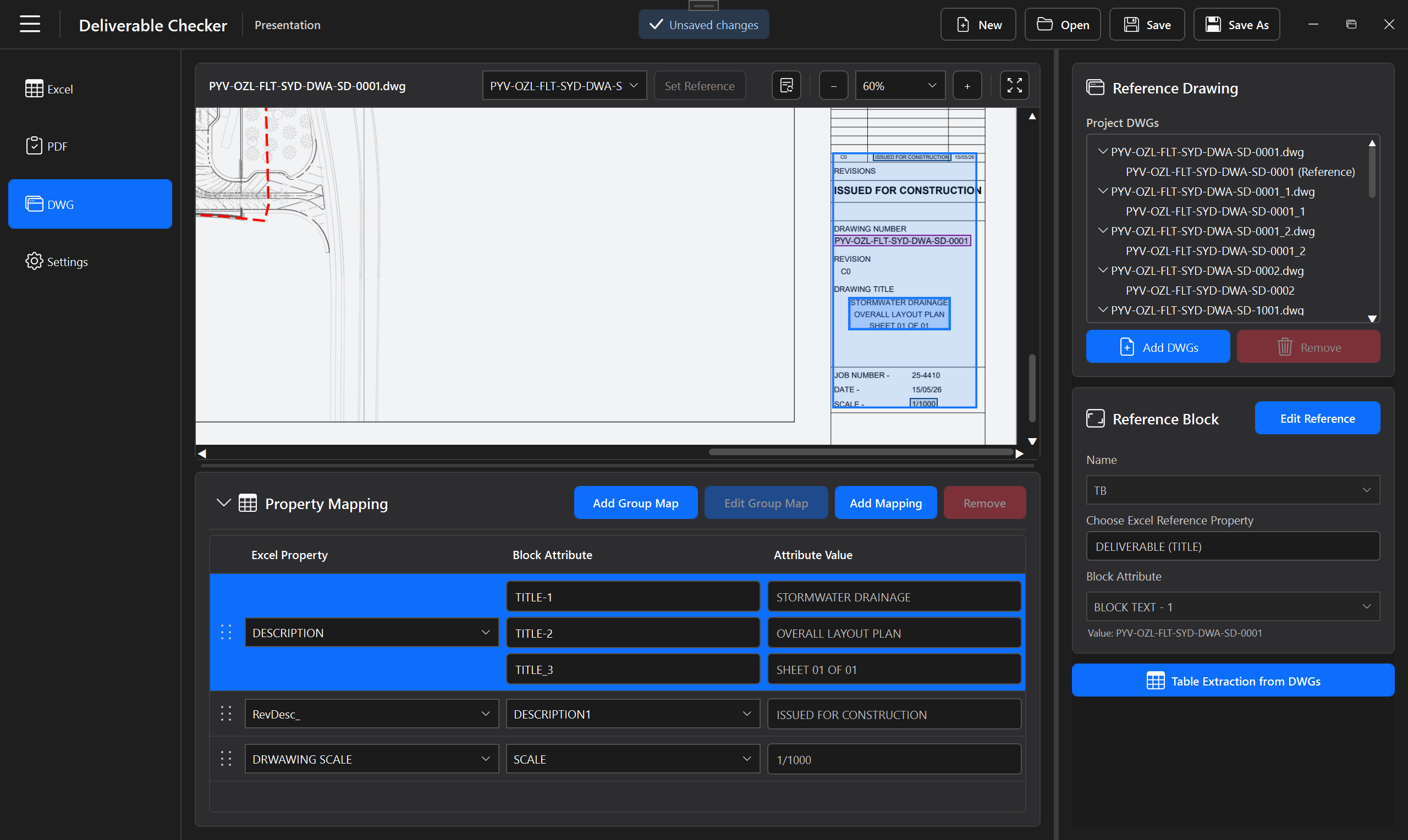
Choose a reference layout and block, then map single or grouped block attributes to the corresponding expected project properties.
Use an Excel table for record-based values and define reusable constants, including values linked to individual workbook cells outside the configured table area.
Preview paper-space layouts inside the application and visually highlight the selected block or attribute while configuring mappings.
Persist PDF configuration, DWG references and mappings, Excel settings, comparison behavior and interface state in the project.
Track external project files and surface changes so a saved validation setup can stay aligned with updated deliverables and reference data.
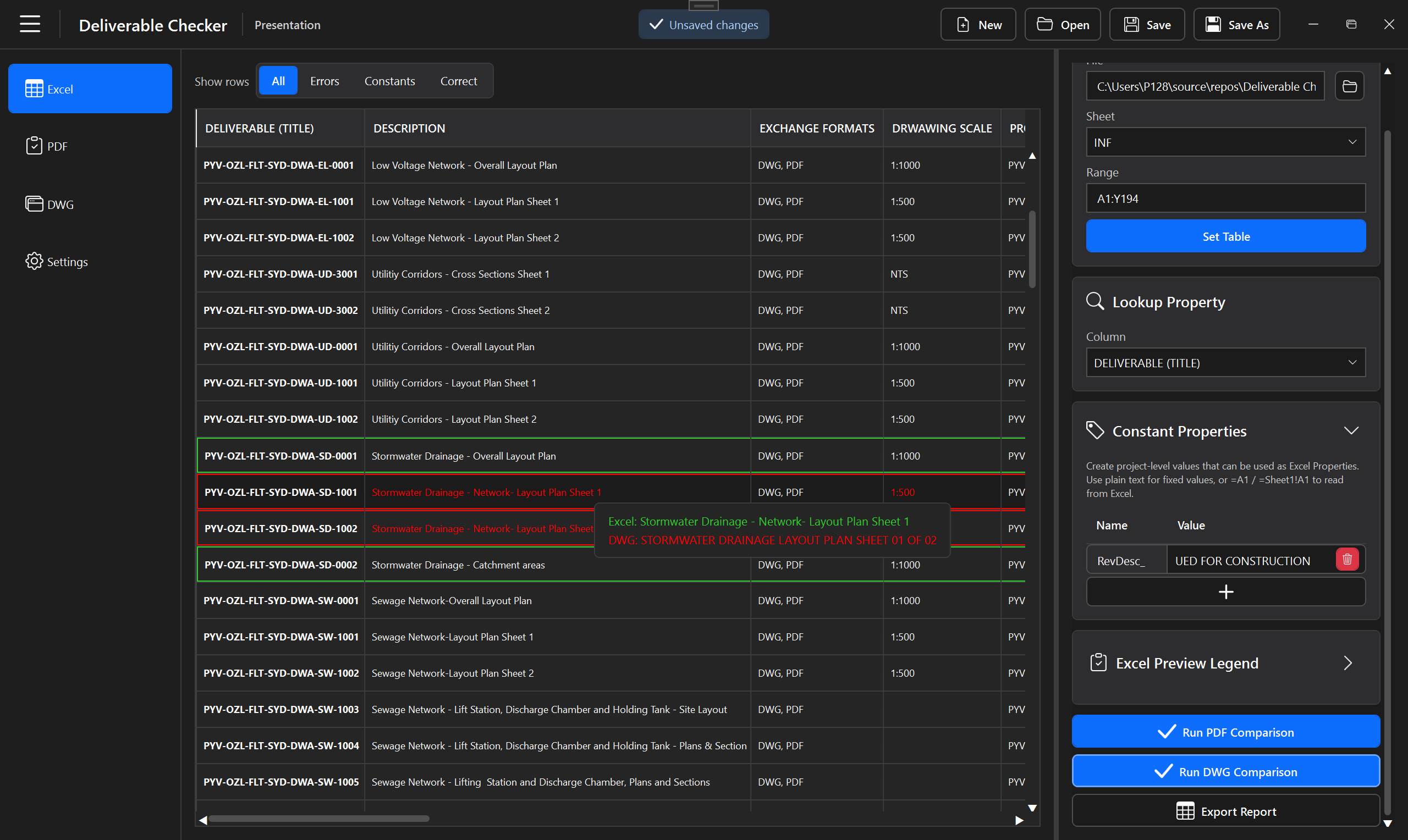
Surface mismatches, missing references and duplicate references, integrate results with the Excel preview and export structured QA/QC information.
Validation pipelines
Pipeline A
Pipeline B
DWG workflow
With AutoCAD installed, Deliverable Checker reads layouts, blocks and attributes while keeping the review inside one application.
Layouts, blocks, attributes, bounds and plot information are read from the source drawing.
Selected DWG layouts are exported to preview PDFs and cached so they can be navigated inside the application.
The reference drawing defines the target layout, block identity, lookup attribute and property mappings reused across project drawings.
DWG checking depends on AutoCAD being installed; the PDF and Excel workflows remain separate application capabilities.
Shared workflow
Load the Excel table, choose the lookup property and define any constant expectations.
Set PDF checkers or the DWG reference drawing, layout and block.
Link checker values or DWG block attributes to the expected properties.
Run the PDF batch comparison or the DWG extraction/comparison workflow.
Focus on errors, missing or duplicate references and create a structured QA/QC record.
Data
The project reference table is available directly inside Deliverable Checker, alongside source configuration, lookup selection and project-level constants.
The same controlled data layer supports both the PDF and DWG validation pipelines.

The current PDF workspace is organized around four components:
PDF Viewer — shows the active PDF, checker geometry and floating controls for checker creation and Boundary Box operations.
Project PDFs — adds, replaces, updates, removes and filters the PDFs in the project.
Checkers — organizes Master, Normal and Sequential checkers and their tags.
Checker Properties — displays and edits the selected checker properties; the panel stays visible and empty when no checker is selected.
DWG
The DWG workspace brings the reference drawing, layout preview and block-attribute configuration together in the same workflow.
Single or grouped attributes can be mapped to expected Excel or constant properties before batch extraction and comparison.
Results
The results workspace consolidates the validation output so reviewers can focus on exceptions instead of rechecking every value manually.
Mismatches, missing references, duplicate-reference conditions and successful validations can be reviewed from the same result layer.
Settings
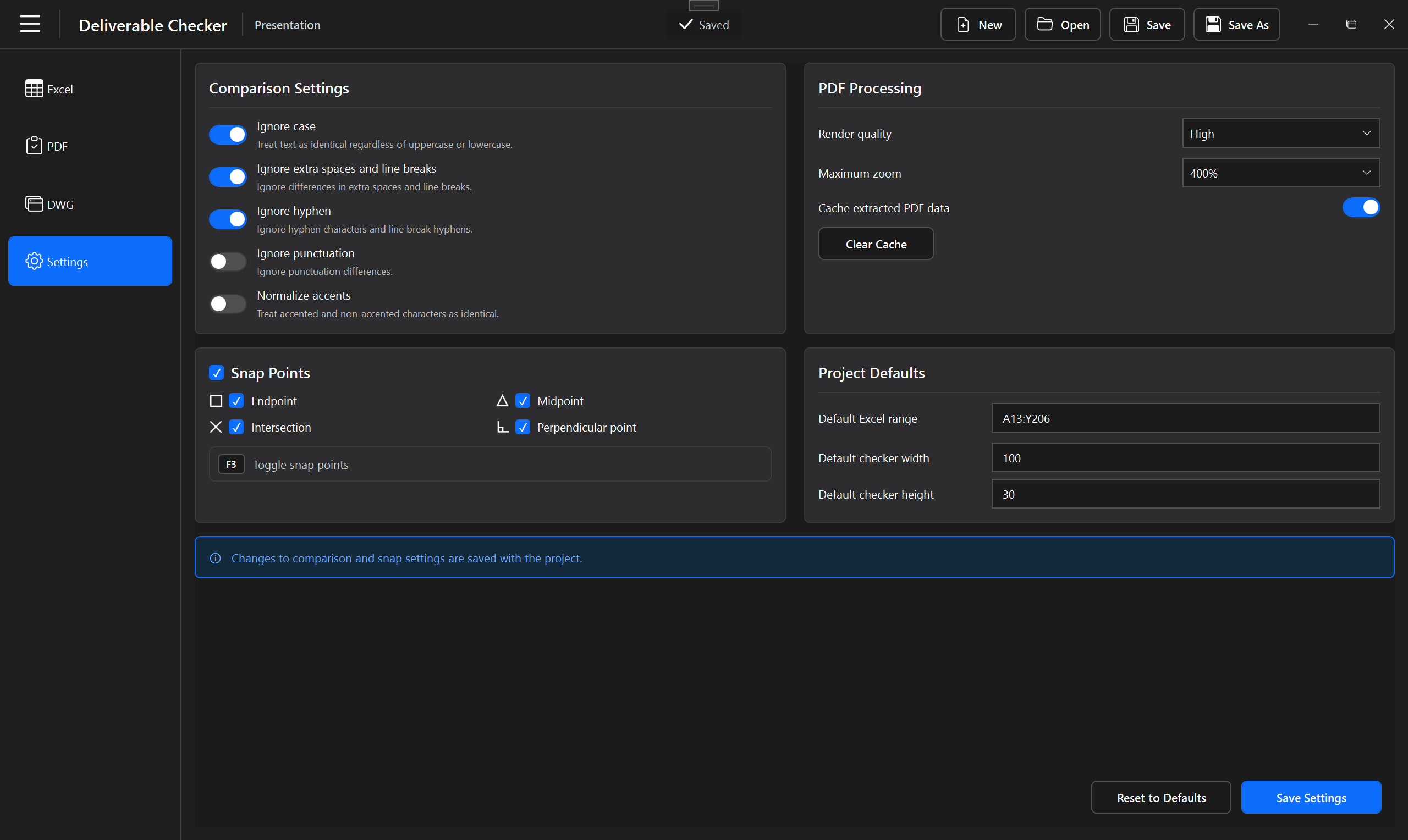
Application-level settings keep validation behavior configurable without cluttering the main PDF, DWG and results workflows.
This final workspace highlights the supporting configuration that makes the tool adaptable across different project requirements.
Documentation
The User Guide documents both validation paths, including PDF checkers, the DWG reference/block workflow, property mapping, Excel and constant rules, extraction, comparison and reporting.
Projects, Excel & rules, PDF workflow, DWG workflow, reference blocks, property mapping, validation, results, reports, settings and troubleshooting.
Open documentationDownload
One installer is planned for Windows x64. AutoCAD only needs to be installed when the DWG workflow will be used.
The installer will be published through a separate public release repository while the application source code remains private.
Publication pending: the installer has not been published yet.